Apple App Store Review in 2026: Requirements, Submission Gates, and What to Prepare Before You Submit
Apple updated the public App Review Guidelines several times in 2025 and again on February 6, 2026, but most submission delays still come from practical review-readiness issues rather than from a single new rule.
Apple expects developers to provide enough review context for App Review to access, test, and understand the app without guessing. If a reviewer cannot quickly determine what the app does, how to test it, which features require login, payment, permissions, or special configuration, or whether regional or regulated-service rules apply, the submission is more likely to be delayed, rejected under Guideline 2.1 App Completeness, or returned with a request for more information.
This article does not treat every reviewer request as a universal rule. Instead, it separates three things: published App Review Guidelines, App Store Connect submission fields, and practical materials that help reviewers test non-obvious flows.
Platform note: Lexogrine is not affiliated with or endorsed by Apple. App Store requirements and review practices may change, and Apple evaluates each submission individually. Always verify current requirements in Apple’s official documentation. Following this guide may reduce avoidable review issues but does not guarantee approval.
What changed in Apple App Store review requirements
Apple’s public rules did move in a few places. In May 2025 Apple updated payment-link rules for apps on the United States storefront. In November 2025 Apple added new age-gating language for creator apps, clarified third-party AI disclosure, and added crypto exchanges to the list of highly regulated fields. In February 2026 Apple clarified that random or anonymous chat sits under guideline 1.2 on user-generated content.
At the same time, Apple continues to emphasize complete submissions. Apple’s App Review page says that if required App Review Information is missing, the review process may be delayed and the app may not pass review. Apple also says that, on average, over 40% of unresolved issues are related to Guideline 2.1: App Completeness, which covers crashes, placeholder content, incomplete information, and more.
So when teams say “Apple changed the review rules,” they are often talking about three separate layers.
Formal App Store Review Guidelines
These are the published rules in the guidelines document. They cover things like app completeness, accurate metadata, in-app purchase rules, privacy, account deletion, moderation for user-posted content, and rules for regulated categories.
App Review Information in App Store Connect
This is the material you send with the submission. It includes contact details, review notes, sign-in credentials, and any files or links that help a reviewer test the app.
Reviewer-request patterns
Apple reviewers may ask for fuller walkthroughs, demo videos, more exact test steps, working credentials for different user roles, a list of outside services, region explanations, or proof that you can offer a regulated service. These requests are not always a new clause in the public guidelines. They are often what a reviewer needs to make the build reviewable.
One more thing. Some “latest requirements” live outside the App Review Guidelines altogether. Age rating updates, SDK and Xcode requirements, required reasons for certain APIs, and regional compliance items can affect upload, availability, or distribution before review even starts. That is why a current App Store checklist has to cover both review rules and submission gates.
What this article covers
- the difference between guidelines, App Review Information, and reviewer-message patterns
- the newest published changes Apple made in 2025 and 2026
- what to put in review notes, demo access, and attachments
- what to show in videos, purchase flows, account deletion, permissions, and moderation tools
- a submission checklist that lowers delay risk
The newest App Store review requirements teams should know
Your build must be final, testable, and accessible
Guideline 2.1 says submissions should be final versions with all necessary metadata and fully functional URLs. Placeholder text, empty websites, temporary content, crash-prone builds, and inaccessible login-protected features can stop review. If the app includes login, provide active demo credentials or a fully featured demo mode with prior Apple approval, and keep backend services live during review.
What to prepare:
- a production-like backend that stays live during review
- working links and support URLs
- no lorem ipsum, placeholder banners, temporary content, or hidden unfinished areas
- realistic test data so the app does not look broken or empty during review
- active demo credentials, or a fully featured demo mode if Apple has approved that approach
Review notes need specific detail when features or flows are not obvious
Guideline 2.3.1 says all new features, functionality, and product changes must be described with specificity in Notes for Review, and that generic descriptions can be rejected. This is especially important when a build adds new paid flows, account flows, region-specific behavior, regulated features, or functionality that is not visible immediately after launch.
Write notes that answer:
- what the app does
- who it is for
- which screens the reviewer should open first
- what changed in this build
- which features are behind login, permissions, or paywalls
App Review Information matters more than many teams think
Treat App Review Information as a concise handoff for someone who has never seen the product before. Include the app purpose, main test path, demo credentials, purchase or subscription paths, permission prompts, region limits, and any attachments or links needed to test the app.
Also verify required support and privacy links. All apps need a working support URL and privacy policy link, and the privacy policy must also be accessible inside the app.
Be ready to provide a demo video when the app is hard to review
Apple does not require every app to include a physical-device recording. However, if a feature is hard to reproduce, depends on special hardware, requires a specific configuration, or cannot be fully tested with a normal demo account, be prepared to provide a concise demo video or the required hardware.
Prepare:
- a short recording of the core flow
- steps from launch to the main user action
- login, account deletion, purchases, and permission prompts if they are part of the app
- moderation or safety tools for apps with user-generated content
- any hardware, QR codes, sample files, or configuration needed for review
Show registration, sign-in, and account deletion flows
If your app supports account creation, Apple requires account deletion to be available inside the app. The deletion path should be easy to find and should work during review.
Test and show:
- sign-up
- sign-in
- password reset
- account deletion
- check social login requirements
If your app uses a third-party or social login service to set up or authenticate the user’s primary account, make sure you also offer an equivalent login option that limits data collection to name and email address, lets users keep their email private, and does not collect app interaction data for advertising without consent, unless an Apple-listed exception applies.
Make in-app purchases and subscriptions visible and testable
If your app offers in-app purchases, make sure they are complete, up to date, visible to the reviewer, and functional. If a configured product cannot be found or tested in the app, explain why in the review notes. For subscriptions, clearly show what the user gets for the price before asking them to subscribe.
Prepare:
- sandbox-ready purchases
- clear paywalls and subscription terms
- visible in-app purchase products
- exact review steps
- screenshots only if they help explain a non-obvious purchase flow
Apps with user-generated content need moderation tools
Apps with user-generated content or social networking features must include a method for filtering objectionable material, a mechanism to report offensive content with timely responses, the ability to block abusive users, and published contact information.
Show these paths clearly during review:
- reporting offensive content
- blocking abusive users
- filtering or moderating objectionable material
- finding contact information for safety or support issues
Permission prompts need context
Ensure:
- clear purpose strings
- prompts appear in the right context
- reviewer can trigger them easily
Privacy policy and third-party disclosures must match the app
Apple requires all apps to include a privacy policy link in App Store Connect metadata and inside the app in an easily accessible place. The policy should explain what data the app collects, how the data is used, and how users can request deletion or revoke consent where applicable.
If personal data is shared with third parties, including third-party AI providers, make that disclosure clear and obtain permission where required. In review notes, also name any external services that affect testing, such as authentication providers, payment providers, analytics, AI services, APIs, or hardware integrations.
Explain regional differences
If features, payments, content, availability, or legal terms differ by country or storefront, explain this in review notes.
State:
- supported countries
- feature differences
- storefront-specific behavior
- any features unavailable to Apple’s reviewer in a given region
Provide proof for regulated apps
If your app operates in a regulated category, include the documents or explanations Apple needs to verify that you are allowed to provide the service.
Include where relevant:
- licenses
- authorizations
- legal entity information
- regional availability
- restrictions that affect who can use the service
Updates need the same clarity
Even small updates need proper review notes if flows change.
Some requirements sit outside review
Not every blocker is an App Review guideline issue. Some requirements can affect upload, availability, or distribution before or around review. Examples include age-rating updates, SDK and Xcode requirements, required reasons for certain APIs, and regional compliance items such as DSA trader status for apps distributed in the European Union.
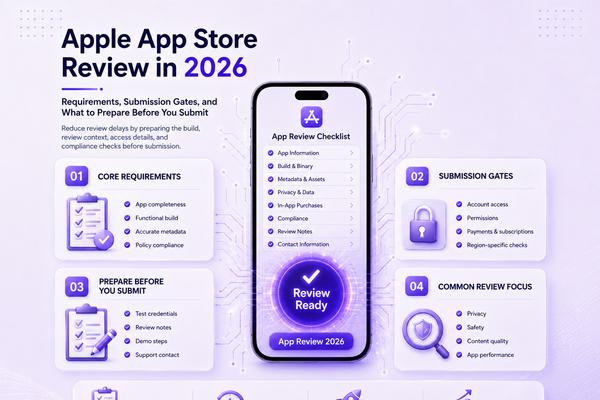
App Store Submission Readiness Checklist
Before upload:
- test on real devices
- remove placeholders and temporary content
- keep backend services live
- seed realistic test data
- prepare demo accounts or an Apple-approved demo mode
In App Store Connect:
- fill in contact details
- write specific review notes
- add demo credentials
- verify metadata, support URL, privacy policy, and privacy information
Flows to test:
- login and account deletion
- purchases and subscriptions
- permission prompts
- moderation and reporting tools, if the app includes user-generated content
For complex or regulated apps:
- provide a short demo video when the flow is hard to reproduce
- attach licenses, authorizations, or regulatory documentation
- explain regional availability and feature differences
- provide sample files, QR codes, hardware details, or configuration steps if needed
After submission:
- monitor review status
- reply quickly to reviewer messages
- keep backend systems and demo accounts live
App Store Keywords and metadata
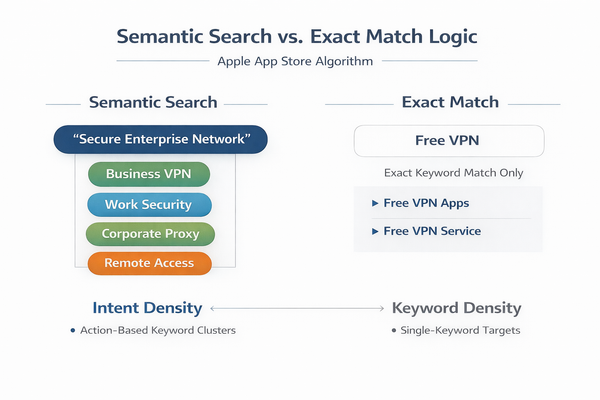
Metadata also affects review readiness. App names, subtitles, screenshots, previews, descriptions, privacy information, and “What’s New” text should accurately reflect the app’s real functionality. Avoid keyword stuffing, irrelevant terms, false pricing claims, or screenshots that show features the app does not provide.
How Lexogrine can help
Lexogrine builds mobile apps and supports the release process from development through App Store submission. We help teams prepare review-ready builds, write clear App Review notes, configure demo access, test purchase and account flows, document region-specific behavior, and respond to reviewer feedback.
Relevant services:
Lexogrine delivers apps for iOS and Android and can support teams preparing releases for the App Store and Google Play.