Skip to content

AI Workflow Automation for Faster, More Reliable Processes

Reduce repetitive work, remove slow handoffs, and connect the systems your teams depend on.

Lexogrine redesigns repeatable business workflows and automates the right steps using deterministic logic, AI, integrations, existing automation platforms, custom software, and human approvals where they add value.

We start with the process. Then we determine what should be simplified, what should be automated, and what should remain under human control.

  1. Trigger / inputBusiness event
  2. Connected systemsIntegrations
  3. Deterministic processingKnown rules
  4. AI-assisted step where appropriateInterpretation
  5. Human checkpointApproval
  6. Completed outcomeRecorded + monitored

Where repeatable workflows create unnecessary work

Many operational problems are not caused by one broken system. They come from the manual work required to keep several steps and systems connected.

  • Information moves manually

    Employees copy data between tools, update records, send notifications, prepare follow-ups, or act as the connection between systems that do not communicate directly.

  • The same processing happens again and again

    Teams repeatedly research, classify, extract, summarize, validate, or prepare the same type of information before the process can continue.

  • Handoffs create waiting

    A process pauses because another person needs to check something, another team needs to receive information, or a routine approval has not yet happened.

  • Disconnected systems create operational overhead

    The information required to complete the work exists, but it is fragmented across CRM, support software, internal applications, databases, documents, email, or proprietary systems.

What changes when a workflow is redesigned for automation

Good Workflow Automation does not simply reproduce every existing manual step with software. The process should first be simplified, then the right parts can be automated.

Before

  1. Input

    Request arrives

    A request arrives.

  2. Manual

    Interpret request

    Someone reads it and decides what information is needed.

  3. Manual

    Transfer data

    Data is copied or transferred manually between systems.

  4. Manual

    Find context

    A person searches for additional context.

  5. Manual

    Process information

    The information is classified, checked, or processed manually.

  6. Manual

    Update system

    Another system is updated.

  7. Manual

    Manual handoff

    A person follows up or hands the work to the next team.

After

  1. Trigger

    System trigger

    A request or system event triggers the workflow.

  2. Integration

    Retrieve information

    Relevant information is retrieved from connected systems.

  3. Deterministic

    Execute rules

    Clear rules are handled through deterministic automation.

  4. AI-assisted

    Interpret with AI

    AI is used only where interpretation, extraction, classification, or contextual processing creates real value.

  5. Human

    Human approval

    Important or uncertain actions can pause for human approval.

  6. Deterministic

    Update systems

    The required systems are updated automatically.

  7. Monitoring

    Recorded outcome

    The outcome is recorded and the workflow can be monitored.

Explore our broader AI Automation approach

What Lexogrine can change inside a workflow

The implementation depends on where the friction exists. Some workflows mainly need cleaner process logic. Others require system integration, AI-assisted processing, or custom software around the existing stack.

  1. Workflow mapping and simplification

    We map how the process works today, including triggers, people, systems, data, handoffs, exceptions, and outputs.

    Before automating anything, we identify steps that can be removed, combined, clarified, or redesigned.

  2. System integration and data flow

    We connect the applications, APIs, databases, and internal systems required to move information through the process reliably.

    Where standard integrations are insufficient, we can build the missing connection.

  3. AI-assisted processing

    AI can support workflow steps that involve interpretation rather than fixed rules, such as extracting information from documents, classifying requests, summarizing context, researching information, or preparing a recommendation.

    AI is used where it improves the process, not because the workflow happens to involve AI Automation.

  4. Deterministic automation and business logic

    Predictable work is often better handled with conventional software logic.

    Validation, calculations, routing, scheduled actions, notifications, and known system updates can execute consistently without asking an AI model to make a decision that software already knows how to make.

  5. Approvals, exceptions, and monitoring

    Real processes do not follow the happy path every time.

    We design approval points, exception routes, fallback behavior, and operational visibility so the workflow can handle uncertainty without depending on uncontrolled automation.

From existing process to production workflow

Automation starts by understanding what actually happens today, not by choosing a tool.

  1. 1. Map

    Understand the trigger, participants, systems, information, manual actions, outputs, bottlenecks, and exceptions.

  2. 2. Simplify

    Remove unnecessary steps, duplicated work, and avoidable handoffs before they become part of the automated process.

  3. 3. Architect

    Decide where deterministic logic, AI-assisted processing, integrations, human decisions, and custom software belong.

  4. 4. Connect

    Integrate the required applications, APIs, internal systems, and data sources. Build missing interfaces where the workflow requires them.

  5. 5. Automate

    Implement the production workflow using the appropriate mix of rules, integrations, automation platforms, AI services, and custom components.

  6. 6. Validate

    Test expected paths, exceptions, permissions, approvals, system failures, and AI-assisted stages under representative operating conditions.

  7. 7. Improve

    Observe how the workflow performs in real use, identify recurring exceptions or bottlenecks, and refine the system where additional value exists.

Use the technology that fits the workflow

The best implementation is not automatically the one with the most custom code or the most AI.

Lexogrine chooses the architecture based on the process, the systems involved, operational requirements, and what needs to remain maintainable in production.

Use an existing automation platform when it fits

If standard tooling provides the integrations, logic, security, and operational control the workflow needs, it can be the simplest and most effective foundation.

Extend the platform when the process needs more

A workflow may fit an existing platform overall but still require custom APIs, authentication, business logic, data processing, or interfaces around specific steps.

Build custom technology when standard tooling reaches its limits

Some workflows depend on proprietary systems, complex business logic, specialized data processing, internal applications, or production requirements that cannot be represented cleanly inside an off-the-shelf automation tool.

In those cases, Lexogrine can build the missing technology rather than forcing the process to stop where the platform stops.

That may include custom integrations, APIs, backend services, internal applications, data pipelines, authentication, cloud infrastructure, and supporting software.

Reliable automation keeps humans in the right places

Removing people from every step is not the objective.

A well-designed workflow automates repetitive execution while keeping human attention available for exceptions, sensitive actions, and decisions that genuinely require judgment.

  1. Automate predictable execution

    Routine actions with clear rules can run automatically and consistently.

  2. Use AI where interpretation is required

    AI can process language, documents, context, or other inputs that cannot be handled adequately through fixed rules alone.

  3. Pause for important decisions

    A workflow can require approval before performing an action that is sensitive, consequential, or outside the expected operating range.

Completed outcome

Escalate exceptions

When the workflow does not have enough information or encounters an unexpected condition, it can route the case to a person instead of improvising indefinitely.

Manual fallbackHuman ownership

What a Workflow Automation engagement can include

The exact scope depends on the process. A focused workflow implementation and a broader automation program should not be forced into the same commercial model.

  1. Understand the current process

    A current-state workflow map can document systems, people, manual steps, bottlenecks, and exceptions.

  2. Design the target workflow

    Define what should change, which steps remain manual, where automation belongs, and how information should move through the process.

  3. Define the technical architecture

    Specify the required integrations, APIs, automation platform components, custom services, AI-assisted steps, and approval logic.

  4. Build and deploy the workflow

    Implement the production system, connect the required technology, handle exceptions, and prepare the workflow for real operational use.

  5. Operate and improve it

    Where the process continues to evolve, Lexogrine can support monitoring, documentation, maintenance, and iterative improvement.

Shared discovery
  • Defined-Scope Workflow
  • Continuous Automation Partnership

Defined-scope implementation or continuous partnership

A clearly bounded workflow can be delivered as a defined project. Businesses improving several workflows or evolving the system over time may benefit from a continuous technical partnership.

Explore AI Automation

Engineering depth for workflows that need to work in production

Workflow Automation often depends on more than workflow configuration. The implementation may need to connect existing systems, process data, apply AI, build missing software, and operate reliably as part of normal business activity.

Lexogrine's existing AI and software engineering work demonstrates the ability to design and deliver complex production systems.

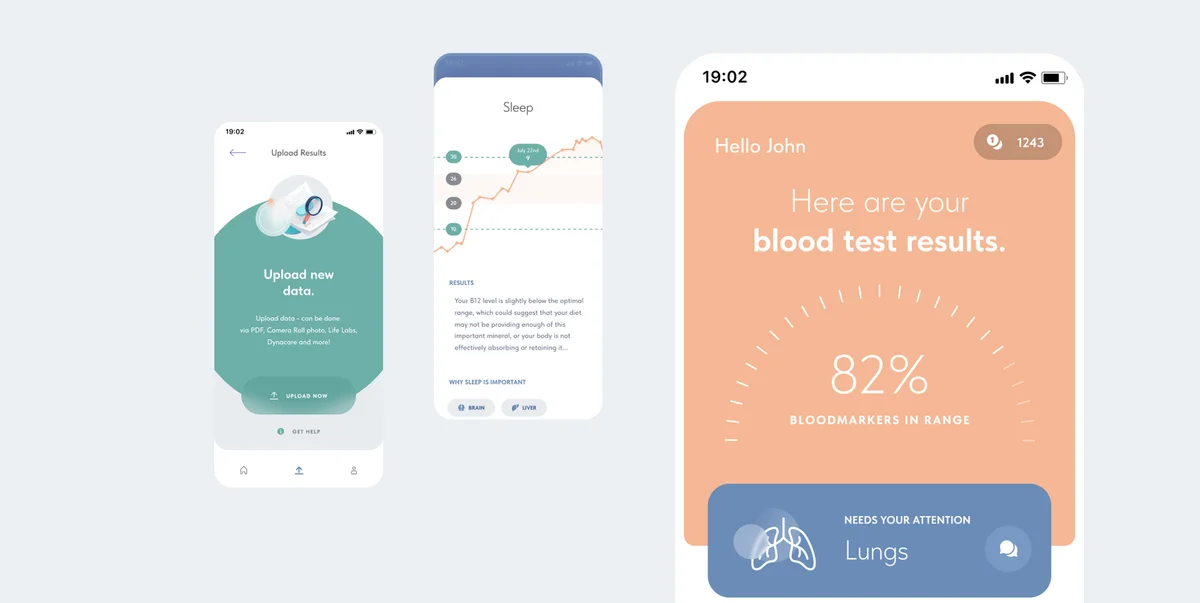
Mysti AI's real mobile product interface for understanding health informationMysti AI

Making complex health information easier to understand.

Health information is complex. Lexogrine built patient applications and a care-provider platform combining AI, web and mobile engineering.

  • AI
  • Web
  • Mobile
View Mysti AI case study
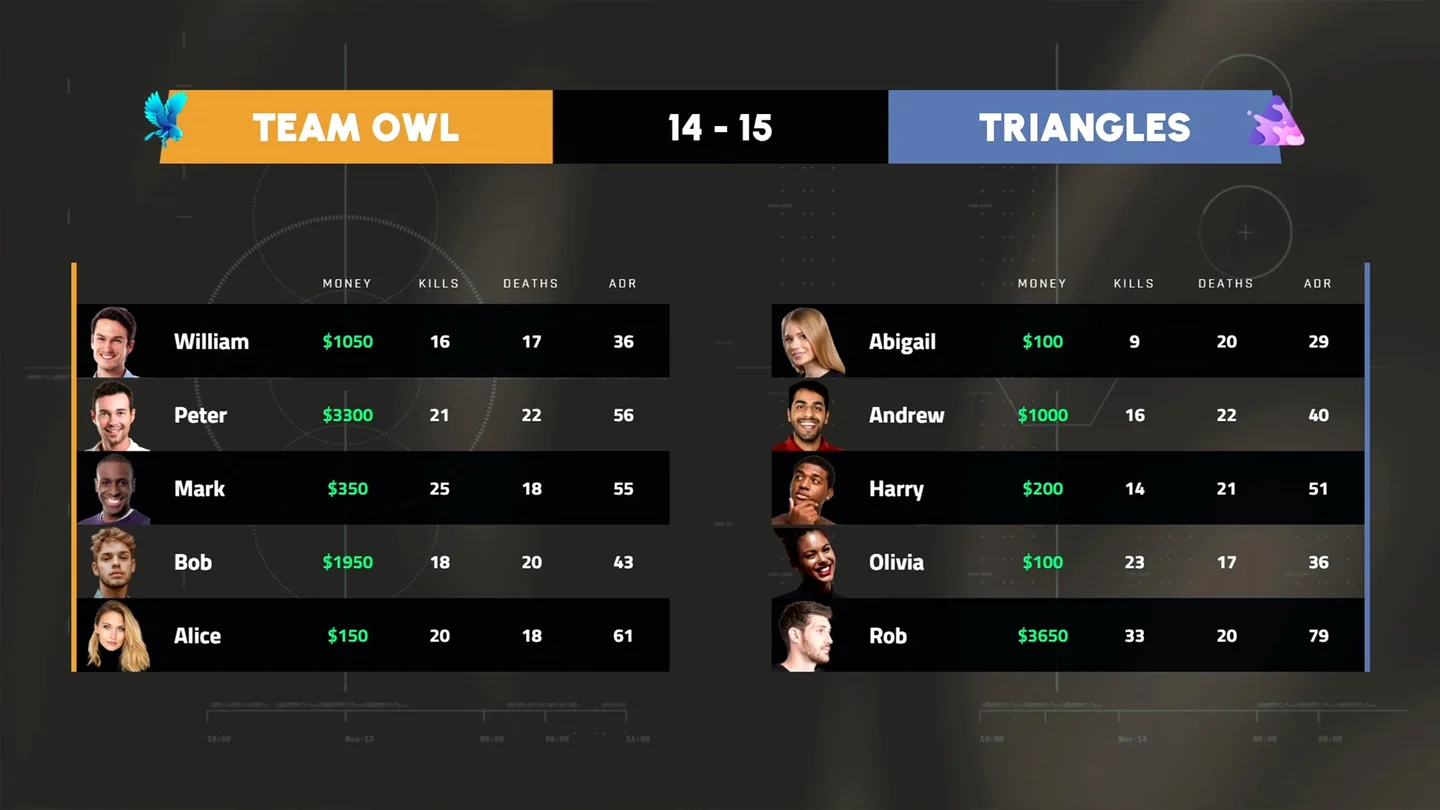
GLHF mobile and ecommerce product presentation from the Lexogrine case studyGLHF

Connecting a beverage brand with a gaming community.

GLHF needed commerce and engagement in one experience. Lexogrine delivered mobile apps, ecommerce, AI-powered quests and the supporting cloud systems.

  • React Native
  • Medusa
  • AI
View GLHF case study
Explore selected case studies

When Workflow Automation is worth the investment

The strongest candidates combine repeatable work, understandable process logic, meaningful manual effort, and enough volume for operational improvements to matter.

Strong automation signals

  • The same workflow runs frequently enough that repetitive effort accumulates.
  • Several systems need to exchange information.
  • Employees repeatedly transfer data, research information, classify inputs, process documents, update records, or coordinate handoffs.
  • Response time or processing capacity matters.
  • The normal process can be described even if exceptions still exist.
  • The required data is available and the workflow needs to scale.

When it may be better not to automate yet

A workflow may not justify custom automation if it happens rarely, changes constantly, depends almost entirely on unique human judgment, or has too little business impact to justify implementation.

If an existing software product already solves the requirement adequately, using that product may be a better decision than building something custom.

And if the underlying process is still unclear, simplifying and stabilizing it may create more value than automating it immediately.

What our clients say

Clutch5.0/525 reviews
  • It was obvious that Lexogrine wanted to create the best possible solution customized for us.
    Daniel KauppinenBrand ManagerFragbite AB
    Web Development for E-Sports Media Company
    Read on Clutch
  • Lexogrine was even able to add features and improve the platform’s speed in a mere week!
    Utkarsh UpadhyayCo-Founder & CTOReasonal
    Software Dev & QA for Software Company
    Read on Clutch
  • They’ve stepped out of their way to deliver things out of their interest for the project.
    Petter SjöstrandCreative DirectorGLHF Brewery Company AB
    Web & Mobile App Dev for Lifestyle Beer Brand
    Read on Clutch
  • Their turnaround times were fantastic.
    Viktor ErlandssonPartnerships ManagerChallengermode
    HUD Design & Dev for Esports Tech Company
    Read on Clutch
  • One of the best agency experiences we have had bar none.
    AnonymousFounderLilypad Media LLC
    UI/UX Design for Virtual Event Company
    Read on Clutch
  • Lexogrine is an incredibly hardworking and dedicated group of individuals that I rarely see at development companies.
    AnonymousCo-FounderInfluencer Support Company
    Mobile App Dev & Website for Influencer Support Company
    Read on Clutch
  • Their project management skills and problem-solving approach were impressive.
    AnonymousFounderThe Broduction Co
    UI/UX Design for Broadcast & Video Production Company
    Read on Clutch
  • They knew exactly what we wanted and filled our needs perfectly.
    Benjamin LääräExecutive ProducerPelaajat.com
    UI/UX Design for Esports Media Company
    Read on Clutch
  • Lexogrine is good. The team knows what they’re doing and they have a strong aesthetic.
    AnonymousFounderFintech Startup
    UI/UX Design for Consumer Fintech Company
    Read on Clutch
  • They listen well and provide feedback to really fulfill the client's overall vision.
    AnonymousCo-Founder & CEOMotorvate
    Mobile CRM App for Automotive Management Provider
    Read on Clutch

Selected review excerpts from software, design and development projects.

Bring us the workflow. We will help determine what should change

Start with the process that consumes too much manual effort, moves too slowly, depends on disconnected systems, or no longer scales the way the business needs it to.

You do not need to decide whether it requires AI, an automation platform, custom integration, an agent, or custom software before the conversation. We will help determine the architecture from the workflow itself.

AI Workflow Automation FAQ

What is AI workflow automation?

AI workflow automation improves a repeatable business process by combining conventional software automation, integrations, and AI where interpretation or less structured information makes it useful. The goal is to improve how the workflow operates, not to add AI to every step.

Does every automated workflow need AI?

No. Predictable tasks with clear rules are often better handled through deterministic software. AI becomes useful when a workflow needs to interpret language, classify information, extract data, synthesize context, or handle inputs that cannot be represented cleanly through fixed rules.

Can Lexogrine work with the software we already use?

Often, yes. Workflow Automation typically begins by understanding the applications, APIs, databases, and internal systems already involved. Existing integrations can be used where appropriate, and custom connections can be built where technically feasible and commercially justified.

Do we need to replace our current systems?

Not necessarily. The preferred approach is usually to work with existing systems where they already serve the business well. Replacement becomes relevant only when the current technology genuinely prevents the target process from working effectively.

When is an AI agent more appropriate than Workflow Automation?

Workflow Automation is usually the better fit when the process is mostly predefined. An AI agent becomes more relevant when software needs to interpret changing context, select between permitted actions, or use tools dynamically within controlled boundaries.

Explore Custom AI Agent Development
Can humans approve important actions?

Yes. Approval points can remain part of the workflow when an action is sensitive, consequential, uncertain, or requires human judgment. Exceptions can also be routed to a person rather than forcing the automated path to continue.

How do you measure whether Workflow Automation is working?

The right measures depend on the process. Useful indicators can include cycle time, response time, throughput, manual touches, human review time, exception rate, failed runs, backlog, and operating cost where it can be measured reliably.