
Web Development Articles
Explore insights, tutorials, and updates from the Lexogrine team on AI, software development, and technology trends.
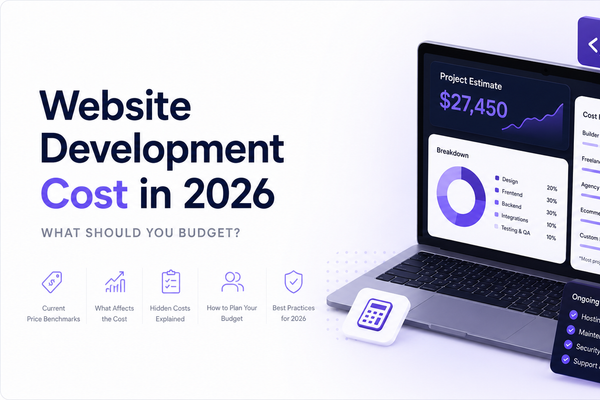
Website Development Cost in 2026: What Should You Budget?
How much does website development cost in 2026? This guide explains current price ranges for website builders, freelancer-built sites, agency projects, ecommerce stores, and custom web applications. It also shows what affects the final budget, which costs are often excluded from initial quotes, and how to compare proposals based on scope, deliverables, integrations, maintenance, security, accessibility, and post-launch support before choosing a development partner and planning the final launch.

10 Types of Web Development Services Every Growing Company Should Know
Explore 10 types of web development services growing companies should understand before scoping a project. Learn how frontend, backend, full-stack, custom web applications, e-commerce, CMS, API integrations, enterprise development, modernization, and maintenance apply to real business needs.
Frontend vs Backend: What's the Difference? Real Examples from Modern Web Applications
Frontend and backend development are easier to understand when you see them inside products people use every day. This article explains the difference between frontend and backend through online stores, Netflix-style streaming, banking apps, food delivery platforms, and SaaS dashboards, then shows how APIs, developers, and full-stack teams fit into web application architecture.
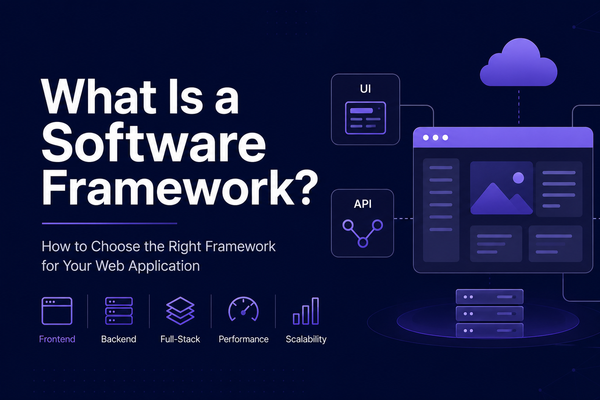
What Is a Software Framework? How to Choose the Right Framework for Your Web Application
Choosing the right software framework is not just an engineering decision. It affects delivery speed, hiring, security, maintainability, hosting, and long-term product growth. This article explains what a software framework is, how it differs from libraries, platforms, SDKs, and programming languages, and how teams should choose a framework based on product goals, team skills, architecture, operations, and future business needs.

Lexogrine is now an AI-Ready Website with WebMCP Tools powered by Conscriba
Lexogrine is now an AI-ready website powered by Conscriba, exposing WebMCP tools that help AI agents understand services, navigate key pages, and support agent-driven discovery. Learn what WebMCP optimization means, how AI-ready websites work, and why structured tools may become important for companies preparing for the agentic web.

OpenAI Swarm Multi-Agent Framework in 2026: What It Is, How It Works, and How to Use It
OpenAI Swarm is a minimalist multi-agent framework built around explicit handoffs between specialized tool-calling agents. This article explains Swarm’s core mental model, when it fits (and when it doesn’t), how to get started fast, and the production patterns that matter in 2026: tool boundaries, approval gates, evals, and an upgrade path to the OpenAI Agents SDK.

Markdown for Agents: How to Make Content AI-Readable Without Breaking the Web
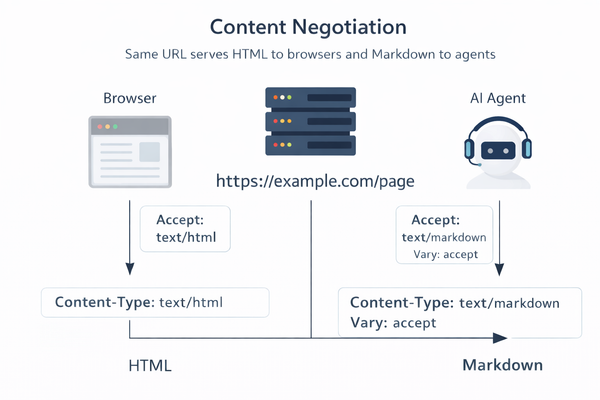
Cloudflare’s Markdown for Agents lets AI agents request a clean Markdown version of any HTML page via HTTP content negotiation (Accept: text/markdown). This post shows why agents struggle with modern sites, how edge conversion cuts token waste, and how to roll it out on docs, pricing, changelogs, and API pages without changing the human UX.
WebMCP in Chrome: How Google Wants Websites to Talk to AI Agents
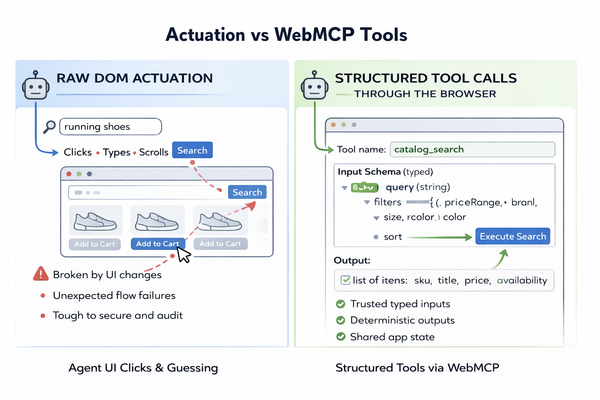
WebMCP is Chrome’s early preview for making websites “agent-ready.” Instead of forcing AI agents to guess UI intent from the DOM, a site can expose structured tools with typed inputs and structured outputs. Chrome can then surface those tools to an in-browser agent, so tasks like search, checkout steps, or ticket creation run through stable contracts rather than brittle clicking.